Schedule delivery
Send now, schedule for later, or ramp up gradually — plus draft mode, send windows, and daily limits.
Great copy sent at the wrong pace still hurts your sender reputation. The Schedule step puts you in full control of when — and how fast — your campaign reaches inboxes, with dedicated tools for launching now, planning ahead, or warming up a brand-new domain the safe way.
Choose the perfect time to reach your prospects and let Stynar keep your campaigns moving automatically.
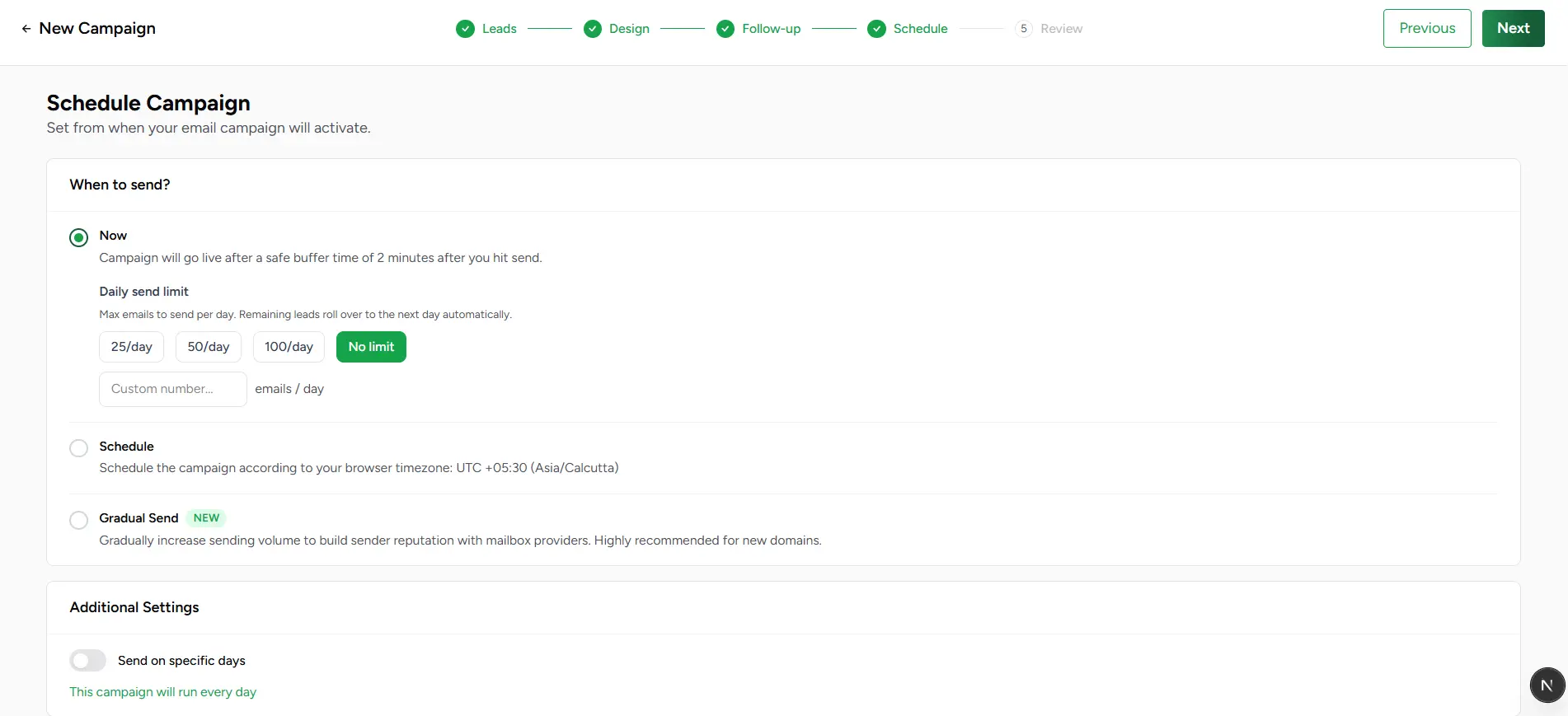
Choose a sending method
Three delivery methods are available, plus timezone control (down to a custom GMT offset if your audience spans regions). Only one method is active per campaign.
Now
Delivery starts right away, respecting whatever daily limit you set. The fastest path from Review to inboxes for time-sensitive outreach.
Schedule
Pick an exact start date and time in your campaign's timezone, with an optional end date to cap how long delivery runs.
Gradual Send
Start small and ramp up automatically day over day — purpose-built for new sending domains or accounts that need to earn trust with mailbox providers before sending at full volume.
Gradual Send, in detail
This is the newest addition to scheduling, and it's worth understanding properly if you're sending from a fresh domain — warming up wrong is the single fastest way to land in spam.
Starting volume
Pick how many emails go out on day one — from 10 up to 500. 50 is the recommended starting point for most new senders.
Daily increment
Choose how aggressively volume grows each day — 10%, 25% (recommended), 50%, or a full doubling. A gentler increment means a longer ramp but a safer one.
Safety threshold
Conservative auto-pauses above 2% bounces or 0.05% complaints; Aggressive allows up to 5% bounces or 0.1% complaints with a daily summary email; None disables auto-pause entirely for manual monitoring.
Recommended sending strategy
Fine-tuning delivery
Daily sending limit
Cap how many emails go out per day regardless of audience size. Leads that don't get through today automatically carry forward to the next sending day — nobody is skipped permanently.
Send on specific days
Restrict delivery to chosen weekdays — skip weekends, for example — so your emails always land when your audience is actually at their desk.
Daily send window
Narrow delivery to a time-of-day range (e.g. 9am–5pm) so nothing goes out at 3am recipient-local time.
Draft mode
Instead of sending directly, each personalized email is prepared as a real draft in your mailbox up to 24 hours ahead of its send time — review, edit, or cancel it from the Drafts page before it goes out automatically.
Auto-book meetings from replies
Turn this on and AI scans replies for meeting intent and books a slot straight onto your connected calendar — no manual back-and-forth required.