Review and launch
Run an inbox placement test, catch personalization gaps, and hit Start Campaign with confidence.
This is the last stop before your campaign is real. Every decision you've made — audience, design, follow-ups, schedule — is laid out in one place, next to a live preview and a deliverability check, so you hit Start Campaign knowing exactly what's about to happen.
Check all settings and preview your emails before launching.
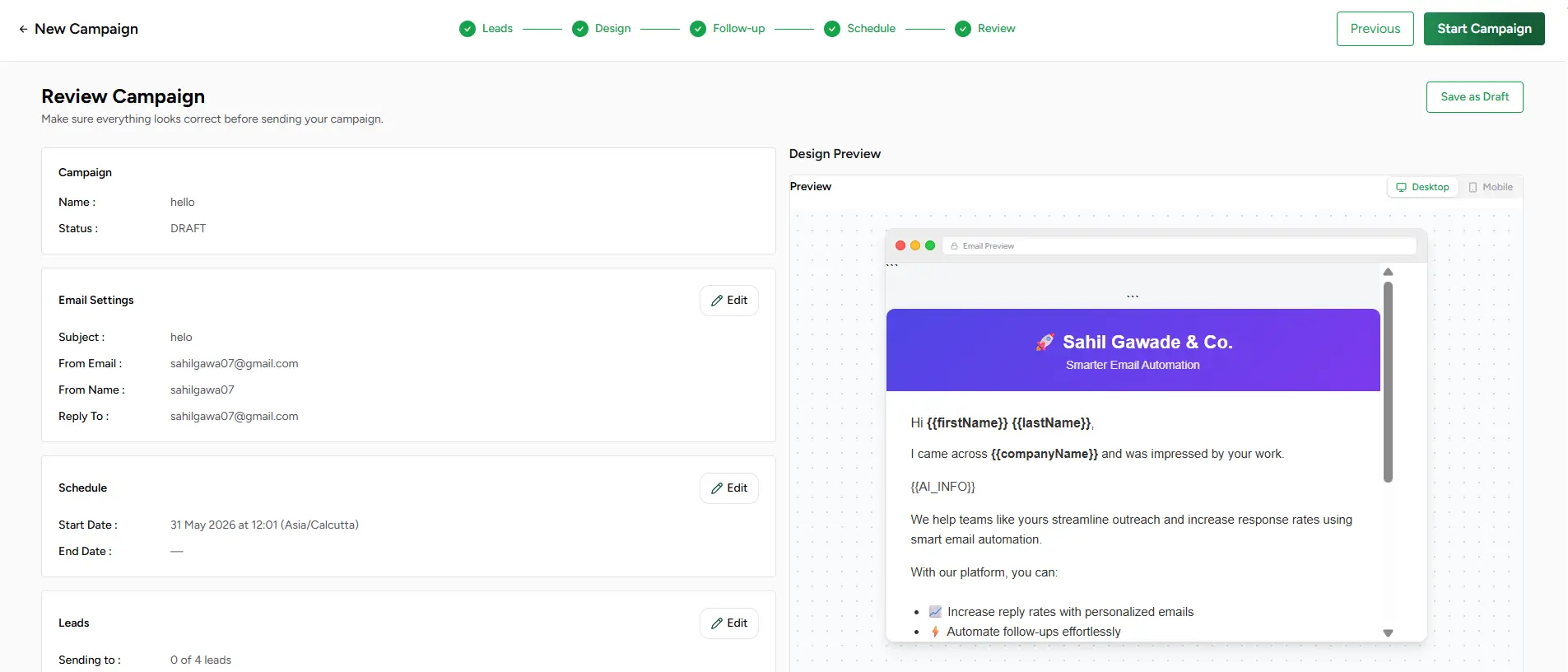
Review workflow
Skim the campaign card
Name, sender, and audience size at a glance — with an Edit shortcut back to any earlier step if something needs a tweak.
Check email settings and schedule
Confirm the sender, subject, and template on one card, and your chosen delivery method, start time, and limits on another.
Verify your leads
See exactly how many leads are ready to send. Any lead missing a variable your template needs is called out by name, with a one-click jump back to fix it.
Preview every email in the sequence
Switch between the initial email and each follow-up step in the dropdown — AI-generated steps show a clear "written per lead at send time" badge instead of a static preview, since that copy doesn't exist yet.
Start Campaign, or save for later
Ready? Start Campaign kicks off delivery on your configured schedule. Not quite? Save as Draft keeps every setting exactly as you left it.
Inbox placement test
Before you commit real leads to a new sender, Stynar can send a quiet test batch to seed inboxes across Gmail, Outlook, and Yahoo and report back exactly where it landed — Inbox, Promotions, or Spam — along with the SPF, DKIM, and DMARC verdicts each provider actually saw. It's informational only; it never blocks Start Campaign, but it's the clearest early warning you'll get that a sender needs attention before your real audience feels it.
A/B campaigns get two tests
Leads that won't be sent
Ready to launch
Campaign launched
It's live. Emails go out on schedule, your follow-up sequence reacts to replies and opens automatically, and every send is tracked from the moment it happens. Head to the Manage & track a live campaign guide to see exactly what that dashboard shows you next.