Email setup & Template design
Write the subject, pick your sender, choose an AI model for personalization, and design the email.
This is where your campaign finds its voice. Write the subject, choose who it sends from, design the template, and decide whether AI should write a custom paragraph for every single recipient — all from one screen, with a live preview sitting right next to it the whole time.
Subject
Merge-tagged and sharp
Sender
Email account or SMTP
Design
Visual, code, or plain text
AI model
Only if you use AI content
Set up your sender details and create personalized emails that feel on-brand and ready to convert.
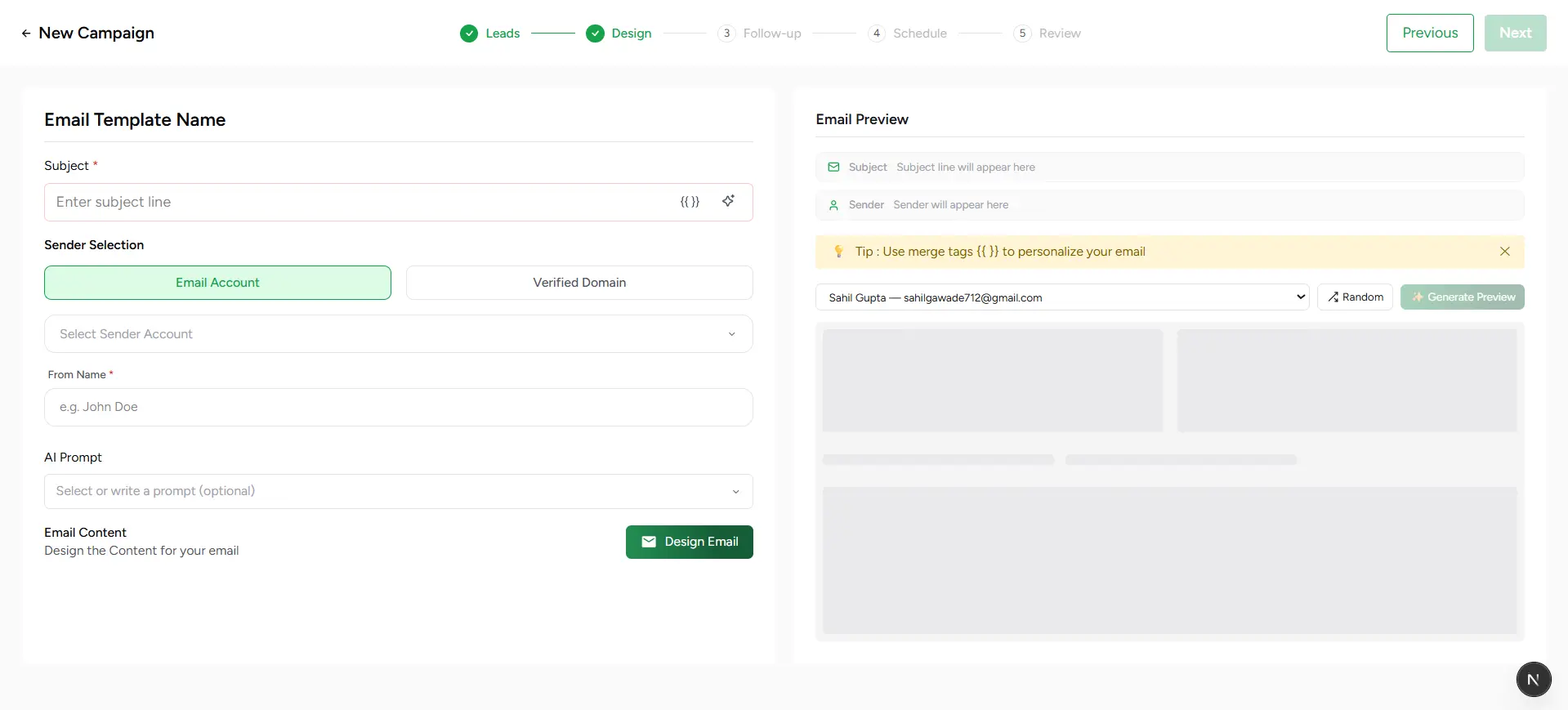
Email configuration workflow
Write your subject line
Drop in merge tags like {{firstName}} or {{company}} to make the subject line feel written for one person, not blasted to a thousand.
Pick your sender
Choose between a connected Email Account (Gmail or Outlook) or an SMTP account, then set the From Name recipients will actually see in their inbox.
Design the email
Build from scratch with the Visual Builder, Plain Text Editor, or HTML Code Editor — or reuse an existing template from your library with Select Template.
Choose your AI model (only if your template needs it)
Templates with an AI content block show a model picker — OpenAI or Claude, several tiers each. Every model writes the personalized paragraph automatically; you're just choosing who does the writing.
Preview with real leads
The panel on the right renders the exact email a specific recipient will get — pick different leads from the dropdown to spot-check merge tags and AI copy before it ever reaches an inbox.
Continue to Follow-up
Once the design and preview look right, click Next to move on and build the automated follow-up sequence.
How AI personalization actually works
Drop an AI content block into your template and Stynar writes a unique, context-aware paragraph for every recipient automatically — using what it knows about the lead and your company. There's no prompt to write and no tone to configure by hand: personalization is fully automatic. Your only decision is which AI model does the writing — pick from OpenAI or Claude, at whichever tier fits your budget and quality bar.
Credits, explained simply
Variable name mismatch
A/B testing subject & template
Not sure which subject line or design will land better? Flip on A/B Test Subject & Template and a second variant panel appears — write a distinct subject and design (or reuse a different existing template) for Variant B, and Stynar splits your audience between the two so you can compare real performance instead of guessing.