Meetings overview
How a reply becomes a booked call — and the one campaign setting that has to be on for any of it to happen.
A lead replies "sure, let's chat Thursday" — and instead of five emails arguing over a time, it's just booked. Meetings is where every one of those AI-scheduled calls lands: a live calendar of what's confirmed, what's pending, and what's coming up next, built entirely from real conversations, not manual entry.
Let prospects book time with you, manage your meetings, and keep every opportunity moving forward.
It's opt-in per campaign — not automatic for everything
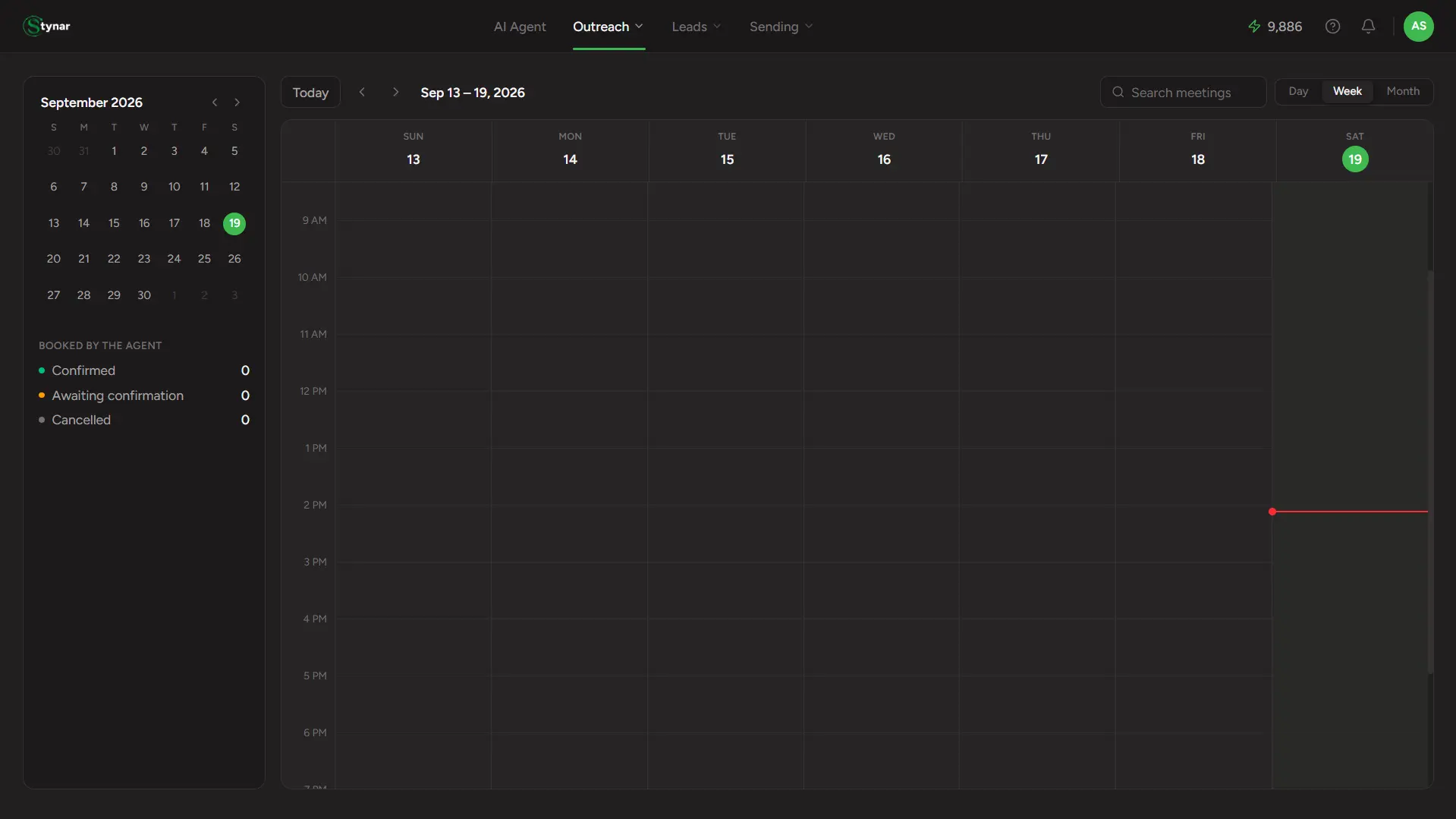
A real calendar, not a list
Day, Week, and Month views — the same way you'd read Google Calendar — so a full day or week of booked calls is one glance, not a scroll.
AI meeting detection
The AI reads incoming lead replies for scheduling intent and triggers the booking workflow automatically — no keyword rules or manual flagging needed.
Reads your real availability
Open time slots are pulled from your live Google Calendar and proposed to the lead — respecting whatever's already on your schedule, no double-bookings.
Google Meet links, included
Every confirmed meeting automatically includes a unique Google Meet link — ready for both host and guest without any manual conferencing setup.
Five statuses, always visible
Confirmed, Awaiting Confirmation, Cancelled, Booking Failed, or Expired — color-coded right on the calendar block, no need to open a meeting to know where it stands.
Cancel in one click
Cancel any booking straight from its details — no confirmation dialog slowing you down, so double-check before you click.
How AI Scheduling Works
Lead requests a meeting
A lead replies to your outreach signaling they want to connect — using phrases like 'let's chat,' 'I'd love a call,' or similar natural language expressions of interest.
AI detects intent
The AI reads the reply and identifies scheduling intent using natural language understanding — no predefined keywords or manual triggers needed.
Calendar availability is checked
Your connected Google Calendar is queried in real time to identify genuinely open time slots, respecting existing events and avoiding double-bookings.
Meeting slots are proposed
Available times are sent to the lead so they can choose what works best — based on your actual schedule, not a static template.
Lead selects a slot
The lead confirms their preferred time, moving the booking to Confirmed status and locking in the schedule.
Meeting is booked
A calendar event is created on your Google Calendar, a Google Meet link is generated, and the meeting appears on your dashboard — all automatically.